How to Learn Projection Mapping in 2026: The Complete Beginner’s Roadmap with MadMapper 6

How to Learn Projection Mapping in 2026: The Complete Beginner’s Roadmap with MadMapper 6
The problem? Most beginners don’t know where to start. They find fragmented YouTube videos, outdated forum threads, or tutorials that assume knowledge they don’t have yet. They download MadMapper, stare at a blank interface, and give up within a week.
This guide is your honest, structured roadmap — covering what projection mapping actually is, why MadMapper 6 is the right software to learn it with, and exactly how to go from zero experience to confidently building real mapped shows.
Why Beginners Struggle to Learn Projection Mapping
Before we talk about the path forward, it helps to understand why so many people start and stall. The struggles are consistent — and they are not your fault.
No Structured Starting Point
Tutorials exist in pieces. You find a surface mapping video here, a timeline tutorial there — but nothing connects them into a full workflow.
Hardware Confusion
What projector do you need? What cables? What computer specs? Nobody explains the physical setup before jumping into the software.
Software Overwhelm
MadMapper’s interface is powerful — which means it looks intimidating on first open. Without a guided tour, most beginners click around and get nowhere.
Outdated Resources
Most free content online targets older MadMapper versions. Panels have moved, features have changed, and the workflows no longer match what you see.
No Real Project to Build
Watching isolated tutorials never results in a finished product. You learn buttons, not process. You need a course that ends with a real, complete show.
No Practitioner Teaching
Most online instructors are content creators, not working professionals. You need someone who has actually built and operated shows — not just filmed tutorials.
What Is Projection Mapping (And Why Learn It in 2026)?
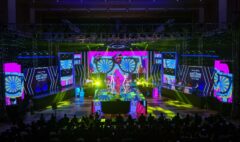
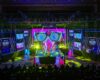
Projection mapping — also called video mapping or spatial augmented reality — is the technique of using projectors to cast precisely calibrated visuals onto three-dimensional surfaces. Instead of projecting onto a flat white screen, you map onto buildings, stages, product shapes, interior architecture, or any physical structure.
The result is a surface that appears to move, transform, or come alive. It is the technology behind large-scale building projections at festivals, the animated stage backdrops at concert tours, and the interactive art installations you see at immersive events worldwide.
Why 2026 Is the Right Time to Start
The immersive events industry has grown aggressively over the past four years. Brand activations, museum experiences, corporate launches, and concert productions increasingly require artists and technicians who understand mapped visual environments. Supply of trained talent is still far behind demand. Learning this skill now puts you ahead of most practitioners in the market.
The demand for mapped shows has outpaced the availability of people who know how to build them. That gap is your opportunity.
The Beginner’s Roadmap: From Zero to Live Show
Here is the sequence every beginner should follow. This is not theory — it is the actual learning path structured inside the MadMapper 6 Masterclass by Studio Z.
🗺️ Your Projection Mapping Learning Path
Understand the Fundamentals
Learn what projection mapping is conceptually — small-scale vs. large-scale setups, real-world applications, and where MadMapper fits in the ecosystem.
Set Up Your Hardware
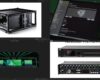
Understand projector types, computer requirements, cables, controllers, and cameras. Know what you need before you spend a cent.
Install and Navigate MadMapper 6
Get MadMapper running, understand licensing, and take a full tour of the interface — panels, output windows, media library, and settings.
Map Your First Surface
Draw surfaces, apply media, understand input controls and FX, and build a simple mapping workflow from scratch using stock content.
Handle Complex Geometry
Map irregular objects, use masks and groups, and apply advanced line drawing for surfaces that are not simple rectangles.
Build Scenes, Cues, and a Timeline
Create structured shows with scenes and cue transitions. Build a basic timeline and move toward a fully programmed performance.
Expand to Multi-Projector, LED, DMX, and Laser
Configure multi-screen outputs, soft-edge blending, LED display processor mapping, DMX lighting integration, and basic laser mapping.
Optimize, Troubleshoot, and Ship
Learn real-world optimization, common failure points, performance fixes, and how to prepare a project for a live show environment.
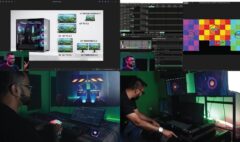
This is exactly the sequence covered in the MadMapper 6 Masterclass | Beginner to Intermediate by Studio Z — a 22-chapter, 5-hour structured video course that takes you through each of these stages step by step, ending with a complete real-world projection mapping example built from the ground up.
Why MadMapper 6 Is the Right Software to Learn in 2026
There are several software tools in the projection mapping space — Resolume Arena, Disguise, TouchDesigner, VDMX, and others. Each has a place. But for someone starting from zero who wants to reach professional capability as quickly as possible, MadMapper 6 is the clearest choice. Here is why:
| Feature | MadMapper 6 | Others (General) |
|---|---|---|
| Purpose-built for projection & LED mapping | ✔ Yes — core focus | ✘ Often secondary |
| Beginner-accessible interface | ✔ Intuitive layout | ✘ Steep learning curve |
| LED display processor mapping built-in | ✔ Native support | ✘ Requires add-ons |
| DMX and laser integration | ✔ Native | ✘ Varies by software |
| Space Scanner (auto-alignment) | ✔ Built-in | ✘ Mostly external tools |
| Timeline-based show building | ✔ Full timeline + cues | Varies |
| MIDI / OSC / NDI support | ✔ All native | Varies |
| Mac & Windows compatible | ✔ Both | Varies |
| Active development (version 6, 2025–26) | ✔ Latest release | Varies |
MadMapper is used by professional VJs, installation artists, event designers, and AV technicians at shows ranging from boutique gallery installations to major festival stages. Learning it positions you for real commercial work — not just bedroom experiments.
What the MadMapper 6 Masterclass Actually Covers
The MadMapper 6 Masterclass | Beginner to Intermediate by Studio Z is a 22-chapter, 5-hour 12-minute video course structured across five learning phases. Every chapter builds on the last. You are not watching isolated tips — you are following a complete workflow from setup to show.
📋 Course Chapter Map
Phase 1 — Foundations (Ch. 1–5)- 01 Introduction & Overview
- 02 Mapping Fundamentals
- 03 Tools & Hardware Requirements
- 04 Installing & Setting Up MadMapper
- 05 Interface Overview
- 06 Output Panel
- 07 Surfaces & Lines
- 08 Media & Content
- 09 Basic Projection Mapping Workflow
- 10 Advanced Geometry & Image Mapping
- 11 Library & Mad AI Tools
- 12 Output & Multi-Screen Setup
- 13 Scenes, Cues & Timeline
- 14 Controls & External Inputs
- 15 Live Inputs & External Integration
- 16 Space Scanner
- 17 LED Display Processor Mapping
- 18 Basic DMX Mapping
- 19 Basic Laser Mapping
- 20 Timeline Level 2
- 21 Troubleshooting & Optimization
- 22 Outro & What’s Next
Every chapter includes practical tasks so you apply what you learn immediately. The course also includes downloadable example project files — real .map files you can open in MadMapper and study alongside the videos. This is structured learning that produces an actual result, not just passive watching.
Who Is This Course For?
The MadMapper 6 Masterclass requires zero prior experience with projection mapping or MadMapper. It is designed for anyone who wants to learn production-grade mapping skills from the beginning and build toward professional-level shows. Specifically, it is built for:
Aspiring Projection Mapping Artists
Want to start creating mapped shows from scratch? This is your structured entry point.
Event Designers & Installation Creators
Add projection mapping to your creative toolkit and take on a new category of projects.
AV Technicians & Show Operators
Expand into media server and mapping workflows to increase your commercial value.
Lighting & LED Programmers
Bridge the gap between lighting and visual mapping — integrate DMX and display systems.
Live Show Producers & Stage Designers
Build structured, timeline-based visual shows and operate them professionally.
Creative Professionals Expanding Skills
VJs, motion designers, and digital artists who want to move from screen to space.
What You Will Be Able to Do After This Course
By the time you finish all 22 chapters, these are the concrete skills you will have:
- ✦Build complete projection mapping installations — from small one-projector setups to multi-screen, blended environments.
- ✦Confidently operate MadMapper 6 — interface, panels, outputs, library, and Mad AI tools.
- ✦Map complex geometry — irregular surfaces, advanced masks, groups, and photo mapping.
- ✦Build structured timeline-based shows — scenes, cues, transitions, advanced timeline programming.
- ✦Integrate LED, DMX lighting, and laser — understand and operate all major output types from a single interface.
- ✦Connect live inputs — camera feeds, NDI streams, Resolume, and mobile integration.
- ✦Troubleshoot and optimize real projects — performance fixes, projector calibration, and pre-show preparation.