What Is Projection Mapping and How Do You Get Started in 2026?

What Is Projection Mapping and How Do You Get Started in 2026?
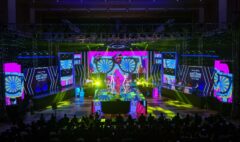
Projection mapping is the technique of projecting video content onto physical surfaces — buildings, stage sets, sculptures, museum exhibits, product displays — with precise alignment so the visual appears to belong to the surface itself. The result is that static objects appear to move, transform, or come alive. It is used across live events, permanent installations, brand activations, museum experiences, and architectural shows worldwide.
If you are new to projection mapping and want to understand what it is, how it works, and how to learn it properly, this guide covers the essentials.
How Projection Mapping Works
At its core, projection mapping involves three components: a projector, specialized software, and a physical surface. The software is the critical layer. It allows you to define surfaces — called quads, meshes, or slices depending on the shape — and align your video content to fit those surfaces precisely. When the projector sends light onto the physical object, the alignment makes the content appear to conform to the object’s actual geometry.
What makes projection mapping more than a basic projector setup is the software’s ability to handle complex shapes, multiple outputs, masks, animations, and structured show programming through scenes, cues, and timeline control.
What Projection Mapping Is Used For
Projection mapping is used across a wide range of industries and contexts:
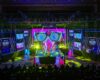
- Live events and concerts — stage set mapping, backdrop visuals, synchronized light and video shows
- Corporate activations and brand launches — product reveals, immersive brand experiences, expo installations
- Museum and heritage installations — permanent or touring exhibits bringing artifacts and architecture to life
- Architectural mapping — large-scale building projections for festivals and public events
- LED display integration — combining projection with LED panels for hybrid visual environments
- Retail and hospitality — immersive experience zones for shopping centers, hotels, and restaurants
What Software Do Professionals Use?
MadMapper is the industry-standard software for projection mapping, LED display output, DMX lighting, and laser mapping. It is the tool of choice for professionals working across all of the above contexts. Version 6, released in 2025, includes a completely redesigned interface, an upgraded rendering engine, and a substantially overhauled timeline system that enables structured, cue-driven show programming at professional scale.
Other tools exist — Resolume, HeavyM, Disguise, Millumin — but MadMapper occupies a specific position: powerful enough for large-scale professional use, accessible enough for serious beginners, and uniquely capable across projection, LED, DMX, and laser from a single interface.
What Hardware Do You Need to Get Started?
A basic projection mapping setup requires:
- A projector — brightness and resolution depend on your surface size and ambient light conditions
- A computer — with a capable GPU and sufficient video output ports for your number of projectors
- MadMapper 6 — available with a free demo mode for learning before committing to a license
- A surface — for practice, a simple box or flat wall works fine
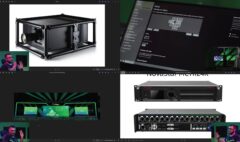
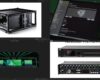
Advanced setups add multiple projectors, video signal processors, LED display controllers, DMX fixtures, and laser units. MadMapper 6 handles all of these from within the same software environment.
How Do You Learn Projection Mapping Properly?
The most common path into projection mapping — assembling knowledge from YouTube videos, forum posts, and trial and error — works, but it creates gaps. Those gaps tend to appear at the worst possible moments: on a live show, with an audience waiting.
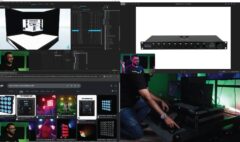
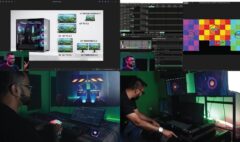
Structured learning is more efficient and more reliable. The MadMapper 6 Masterclass by Studio Z is a 22-chapter, five-hour course that covers the full pipeline: hardware requirements, software setup, interface, surfaces and geometry mapping, masks and groups, multi-projector output, scenes, cues, timeline programming, LED display, DMX lighting, and laser mapping. No prior experience is required.
The course was built and is taught by Zunayed Sabbir Ahmed — a certified MadMapper trainer with over 14 years of professional experience across 400-plus shows and 20-plus international productions.
Frequently Asked Questions
Is projection mapping hard to learn?
The fundamentals of projection mapping are accessible to anyone willing to learn systematically. The software — MadMapper 6 — is designed to be learnable by beginners while being capable enough for professionals. The challenge is not the software’s complexity but the absence of structured learning resources. A proper course eliminates this barrier completely.
Do I need an expensive projector to start?
No. You can learn and practice projection mapping with a basic consumer projector in a darkened room. Professional-grade projectors matter for actual show environments — brightness, resolution, and lens shift capabilities become critical at scale. For learning purposes, any working projector is sufficient.
Can MadMapper handle LED and DMX as well as projection?
Yes. MadMapper 6 is a unified platform for projection mapping, LED display processor output, DMX lighting control, and laser mapping. This is one of its key advantages over tools that handle only one output type. A single operator can manage all of these from within one software environment.
Is there a free version of MadMapper?
MadMapper offers a demo mode that allows full use of the software with a watermark on outputs. This is sufficient for learning and practice. A full license is required for professional show use without the watermark.