Projection Mapping for AV Technicians: Moving Into Media Server and Mapping Workflows

Projection Mapping for AV Technicians: Moving Into Media Server and Mapping Workflows
Projection Mapping for AV Technicians: Moving Into Media Server and Mapping Workflows
AV technicians are among the best-positioned professionals to move into projection mapping and media server workflows. The signal chain knowledge, hardware familiarity, and show environment experience that AV technicians bring are direct advantages. The gap is typically software-specific — understanding how a tool like MadMapper thinks and how to structure a mapping project from within it.
This article covers what AV technicians already know that gives them a head start, what the common gaps are, and how to close them efficiently.
What AV Technicians Already Know That Helps
Experience with certain software and production environments translates directly into MadMapper competency. If you are already working with any of the following, you will not feel like a stranger when you open MadMapper for the first time:
- Resolume Avenue or Arena — clip triggering, layer logic, output management, and signal routing are conceptually similar
- Adobe Premiere or After Effects — timeline thinking, media management, and compositing logic carry over
- Ableton Live or FL Studio — cue-based triggering and timeline programming translate well
- vMix or similar broadcast tools — multi-output management and signal routing are familiar territory
- Madrix or other LED control software — LED pixel mapping concepts map directly to MadMapper’s LED workflow
The underlying logic of media servers — inputs, surfaces, outputs, cues — is not foreign to anyone who has operated in professional AV environments. MadMapper has a specific interface and workflow, but the mental model is not a complete rebuild.
Where AV Technicians Commonly Hit Gaps
The consistent gaps when AV technicians first come to MadMapper are not hardware-related — they already understand the hardware side. The gaps tend to be in:
Surface geometry and mapping logic
Understanding how to define surfaces, align them to physical objects, handle irregular shapes with masks and mesh warping, and organize surfaces into logical groups for show programming. This is MadMapper-specific thinking that does not exist in most AV workflows.
Show structure — scenes, cues, and timeline
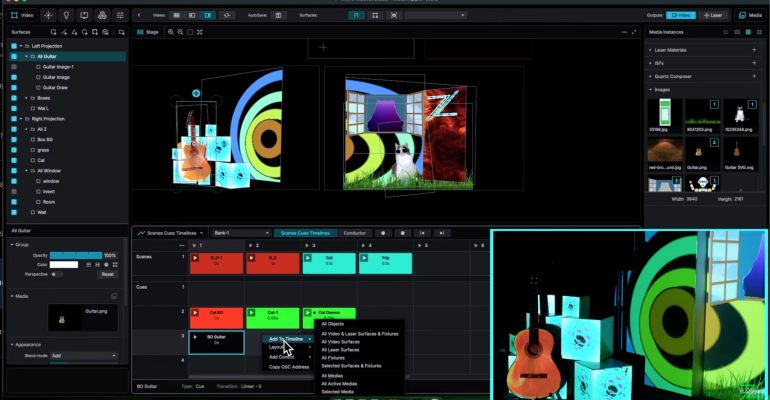
Many AV technicians are excellent at reacting in live environments. Projection mapping at professional scale requires structured, pre-programmed shows — scenes that define project states, cues that move between them, and a timeline that drives the whole sequence. Building and managing that structure inside MadMapper is a learned skill.
Multi-projector output management
Single-projector setups are straightforward. Multi-projector installations — with soft-edge blending, stacking, and precise geometry alignment across multiple units — require specific knowledge of MadMapper’s output panel and blending workflow. This is where technical show experience helps, but the software-specific implementation needs to be learned.
The Space Scanner Advantage
One MadMapper 6 tool that is particularly valuable in live show environments is the Space Scanner. It uses a camera to automatically analyze the projection surface and assist with geometry alignment — significantly reducing the manual calibration time that AV technicians often spend on projector setup.
For technicians working in fast-turnaround show environments, Space Scanner is not a luxury — it is a workflow accelerator. Understanding it properly is worth dedicated attention.
What Show-Ready Means in a Mapping Context
In mapping workflows, a project is show-ready when it has been tested thoroughly enough in a studio or rehearsal environment that nothing will surprise you in the live show. That means every scene has been triggered, every cue has been tested, every transition has been observed, and every output has been verified against the actual physical surfaces.
For AV technicians, this is familiar discipline — the same rigor applied to audio, lighting, and video systems in pre-show checks. The difference in mapping is the depth of the software configuration that needs to be validated. A show-ready MadMapper project is a fully structured, timeline-driven deliverable, not a set of clips waiting to be triggered manually.
How to Bridge the Gap Efficiently
The most efficient path from AV technical experience into professional mapping is structured, sequential learning that builds on what you already know without assuming you need to re-learn fundamentals you already have.
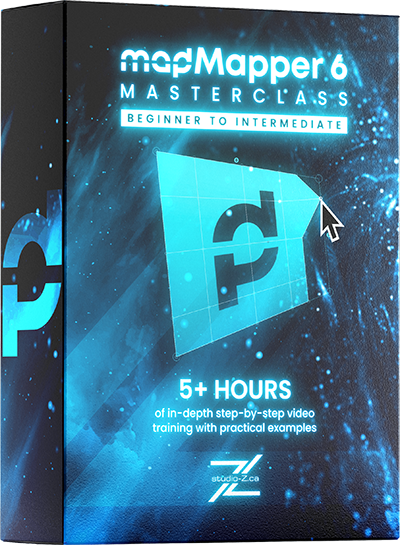
The MadMapper 6 Masterclass by Studio Z covers the full pipeline — hardware, software, interface, surfaces, geometry, multi-projector output, scenes, cues, timeline, LED, DMX, and laser — in 22 chapters across five-plus hours. It is designed for learners with no prior mapping experience, which means AV technicians with strong existing foundations will move through the foundational material quickly and invest their time in the mapping-specific and timeline-specific content where the real learning sits.
The course is taught by Zunayed Sabbir Ahmed, a certified MadMapper trainer with 14 years of professional experience across 400-plus shows and 20-plus international productions.
Frequently Asked Questions
Do AV technicians need to learn MadMapper specifically, or are there other options?
MadMapper is the industry standard for professional projection mapping workflows. Other tools exist — Resolume, HeavyM, Millumin — but MadMapper’s combination of projection, LED, DMX, and laser output in a single environment makes it the most versatile platform for AV professionals expanding into mapping.
How long does it realistically take an AV technician to become proficient in MadMapper?
With structured learning, an AV technician with existing show environment experience can reach working proficiency in MadMapper within a few weeks of focused study and practice. The hardware and signal chain knowledge they already have eliminates a significant portion of the learning curve that beginners face.
Is MadMapper 6 significantly different from earlier versions an AV technician might have encountered?
Yes. MadMapper 6 has a redesigned interface, an upgraded rendering engine, and a substantially different timeline system compared to versions 4 and 5. Any prior MadMapper exposure on older versions should be considered a foundation, not a current working knowledge of MM6’s specific workflow.