
Laser Mapping Kit For Resolume
November 3, 2026 2026-11-19 12:41Laser Mapping Kit For Resolume
Create it in Resolume Arena. Project it with lasers.
Play your show in Resolume Arena as you always do. Visual to LaZzer draws it with real laser projectors, in full colour. No extra laser software to buy.

 M5 READY ANIMATIONSSAMPLE PROJECT INCLUDEDUP TO 8 LASERS
What you get
Visual to LaZzer
The program that sends your Resolume Arena show to your lasers. For Windows, or for Mac with Apple Silicon (M series). Not all Apple devices are supported.
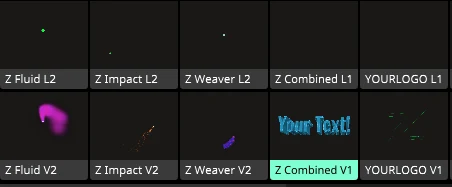
5 ready animations
Ready-made looks. Each one has a laser version and a matching screen version that move together.
Sample project
A Resolume Arena project that is already set up. Open it and start playing.
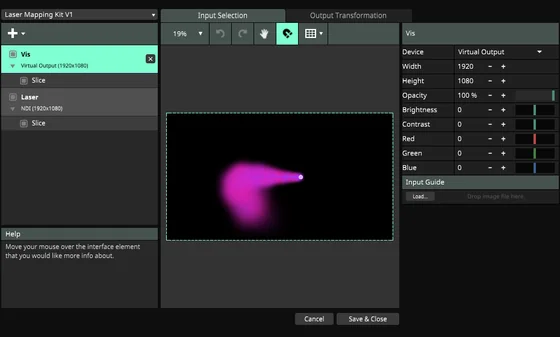
Output setup
A ready setting that sends the laser picture out of Resolume Arena. Installed for you.
Guides
Simple install steps, plus a guide to what laser, box and cables to buy.
Your activation code
Sent by email when you register. Type it into the app once.
You bring those. You will receive a purchase guide that will help you to build your kit from the less to all the way up.
Works with Resolume Arena, not Resolume Avenue.
Start with the sample project
Download and install
Pick Windows or Mac when you buy. Open the download and click Install.
Let the installer work
The installer installs all necessary .NET and other complicated things.
Open the sample project
Start Resolume Arena and open pre-made project- Laser Mapping Kit V1. The five animations are ready to play.
Send the laser picture out
In Resolume Arena, load the included output setup.
Connect your laser
Open Visual to LaZzer and type your activation code once. Choose Resolume Arena as the source and your laser box as the output.
Go live
Turn the laser ON, then release BLACKOUT. The app asks if the area is safe. Press OK and your lasers draw the show.
See every step on screen in the App setup guide.
The five animations
Each animation has two parts that move together: one for the laser, one for your screen or LED wall. Play with all five in the Animation lab.

Fluid Comet
A comet glides on waves and loops. On screen it leaves soft ink, smoke, fire or underwater glow.

Pulse Weaver
The laser weaves flowing patterns. On screen, ribbons, braids and pulsing cables follow it.

Particle Impact
The laser bounces and turns sharp corners. On screen, sparks, dust, fireworks and shattering bits burst out.

Your Text, 2D or 3D
Type any words. They write themselves in, glow on the loop, then leave. Flip on 3D for depth. Can follow your music tempo.

Your Logo
Pick your logo file (SVG). It keeps its real colours on screen while the laser traces its outline.
The app that does the laser part
Visual to LaZzer is the app that turns your Resolume Arena visuals into laser light.
Play your show in Resolume Arena as usual. The app takes what you play and sends it to your laser devices, ready to draw on the wall.
Fix the edges. Drag the corners until the picture sits exactly on your surface.
Go advanced when you are ready. Run two lasers side by side, each with its own picture and shape, and map them as one big output.

More lasers, safely
One set per laser
Each laser gets its own set with its own picture, shape and settings. Standard runs 2 lasers. Pro runs 8.
Built to stay safe
Everything starts off. Kill switch: one BLACKOUT button, or Num 0 on your keyboard, turns all lasers dark at once. If the picture from Resolume Arena stops, the laser goes dark by itself.
Pick your edition
Standard
$99
2 lasers. The full kit: Visual to LaZzer, 5 ready animations, sample project, output setup, guides.
BUY NOWPro
$199
8 lasers. The same full kit, with room for up to 8 lasers.
+ Early access to future updates and cool stuff
BUY NOWEverything you need to run a laser show is in the kit, apart from your laser and its box.
Your licence in plain words
One licence for you, on one computer at a time.
Your code comes by email when you register.
Moving to a new computer? Remove the old one first, then add the new one.
You need internet to activate or move your licence.
You can also remove a computer from your account on the website, up to 2 times.
Want to look first? The free Trial runs 2 lasers and goes dark for 5 seconds every 3 minutes.
